
What a vCIO Does and Why Growing Businesses Need Strategic IT Leadership

Introduction As businesses grow, technology decisions become more important and more difficult. What once involved a handful of devices and a few applications can expand into cloud services, cybersecurity controls, compliance requirements, remote work, data management and multiple suppliers. Many small and medium businesses have technical support but no one responsible for connecting these decisions to the wider business strategy. That is the gap a virtual Chief Information Officer, or vCIO, is designed to fill. IT Support Versus Strategic IT Leadership IT support focuses on keeping technology working. It responds to incidents, resolves user issues and maintains systems. These services are essential, but they do not automatically create a forward-looking plan. Strategic IT leadership asks broader questions. What is the business trying to achieve? Which systems help or hinder that goal? Where is risk accumulating? What investment is likely over the next one to three years? Which project should happen first? A mature technology partnership provides both operational support and strategic direction. 1. Understanding the Business A useful vCIO relationship begins with understanding the organisation, not recommending products. The adviser needs context around services, clients, staff, locations, workflows, regulatory expectations, growth plans and operational pain points. This allows technology recommendations to be assessed according to business impact rather than technical preference. 2. Maintaining a Technology Roadmap A central vCIO responsibility is maintaining a prioritised roadmap. The roadmap can include device and server lifecycle, cloud adoption, Microsoft 365 improvements, cybersecurity controls, backup and recovery, compliance initiatives, business application changes, process automation and staff training. Each project should explain the objective, expected value, risk addressed, dependencies, priority and likely timing. 3. Supporting Budgeting and Lifecycle Planning Technology becomes expensive when organisations only act after failure. Lifecycle planning forecasts when important equipment, software and services are likely to require replacement or change. This helps leadership prepare budgets, compare options and schedule work at a sensible time. Good planning does not mean replacing everything early. It means avoiding preventable emergencies and understanding the implications of delay. 4. Turning Risk Into Business Decisions Technical risk is difficult to manage when it is presented as a long list of vulnerabilities or warnings. A vCIO helps explain likelihood, potential business impact, available treatments and the consequences of accepting or delaying action. This allows leadership to make informed decisions and document priorities. 5. Reviewing Progress With Leadership Regular technology business reviews keep strategy active. A useful review may cover recurring service issues, project status, risk changes, security posture, technology lifecycle, upcoming expenditure, user experience and new business requirements. The aim is not to overwhelm leadership with technical detail. It is to provide enough context for clear decisions and agreed actions. 6. Assessing New Technology New technology can create value, but only when it fits the organisation. A vCIO can help evaluate cost, security, integration, staff impact, implementation effort, supplier risk and expected benefit before a commitment is made. This is particularly valuable when considering AI, cloud migrations, new business systems, collaboration platforms or security services. When Does a Business Need a vCIO? A vCIO relationship may be valuable when technology spending is unpredictable, projects compete without clear priority, leadership lacks visibility over cyber risk, systems do not scale with growth, IT discussions happen mostly during problems or no one maintains a documented roadmap. The need is not determined by company size alone. It is determined by the importance and complexity of technology within the business. How Armour Networks Can Help Armour Networks provides strategic IT guidance as part of a broader managed services relationship. We help clients understand their current environment, identify priorities, plan lifecycle expenditure and maintain a roadmap aligned with business goals. Our focus is practical: understandable recommendations, sensible sequencing and support from planning through implementation. Book a Technology Strategy Call to discuss where your business is now and what should come next.
AI Governance and Security Risks: What Businesses Need to Know Before Using Copilot

Introduction AI tools are becoming part of everyday work. For many businesses, the appeal is obvious: faster drafting, better summaries, improved reporting, quicker research and more efficient communication. But there is another side to AI adoption that business leaders cannot ignore: security, governance, permissions, compliance, staff behaviour and data control. Before rolling out Microsoft Copilot or encouraging wider AI usage, businesses should understand the risks and prepare properly. Your Microsoft 365 setup matters. Why AI Governance Matters AI governance is the set of rules, policies, controls and practices that guide how AI is used inside your business. It answers questions such as what staff can use AI for, what information must never be entered into AI tools, which AI tools are approved, who is responsible for reviewing AI-generated content, how confidential information is protected and how staff are trained. Without governance, AI usage can become inconsistent and risky. Risk 1: Poor Microsoft 365 Permissions One of the most important AI readiness questions is simple: can people access only what they should access? If users have access to old folders, confidential documents, HR material, finance data or management files they should not see, that is already a security issue. AI can make this issue more visible because it may help users find, summarise or surface information they technically have permission to access. Risk 2: Sensitive Data Being Entered into Unapproved AI Tools Many staff are already experimenting with AI tools. That may include tools outside your approved business environment. The risk is that staff may paste client information, financial details, personal data, legal content or internal business information into systems that have not been reviewed or approved. Every business should have an AI usage policy that clearly explains approved tools, prohibited information, acceptable use cases, review requirements, security expectations and escalation processes. Risk 3: Over-Reliance on AI Output AI can be helpful, but it is not a replacement for professional judgement. AI-generated content can be incomplete, inaccurate, outdated or inappropriate for the situation. This is especially important in industries such as legal, accounting, healthcare, finance and professional services. Businesses should require human review for client advice, legal content, financial information, HR documents, compliance material, contracts, policies, public communications and technical recommendations. Risk 4: No Clear Business Use Cases Some organisations adopt AI because it is trendy, not because they have a plan. This often leads to poor adoption. Staff try it briefly, get inconsistent results and stop using it. A better approach starts with use cases, such as reducing management admin, drafting sales follow-ups, assisting marketing, summarising reports or improving meeting follow-up. Risk 5: Lack of Staff Training AI tools are only as useful as the people using them. Staff need to understand how to write effective prompts, review AI output, identify what information is safe to use, avoid sensitive information, improve responses and know when not to use AI. Training should be practical and role-based. The goal is not to make everyone an AI expert. The goal is to help staff use AI safely and effectively. Risk 6: No Measurement of Value AI adoption should create business value. Possible measures include time saved on admin tasks, faster document drafting, improved meeting follow-up, reduced duplication, better internal communication, faster report preparation, improved staff satisfaction and better client response times. Without measurement, AI becomes another tool rather than a business improvement initiative. What Businesses Should Do Before Rolling Out Copilot Before adopting Microsoft Copilot more broadly, businesses should complete a readiness review. This should cover Microsoft 365 environment review, permissions and access review, data governance review, AI policy creation, use case mapping, staff training planning and a pilot rollout. A smaller pilot group allows the business to gather feedback and improve before expanding to more users. How Armour Networks Can Help Armour Networks helps businesses adopt AI in a way that is practical, secure and aligned with the way they already work. Our Copilot Readiness Workshop helps assess Microsoft 365 readiness, data access and permissions, security and governance requirements, practical AI use cases, training and adoption needs and rollout recommendations. AI can be a powerful business tool, but only when it is introduced with the right foundations. Call to action: Book a Copilot Readiness Workshop with Armour Networks.
Real AI Use Cases for Professional Services Firms

AI has quickly moved from a future trend to a real business conversation. Many firms are now asking how tools such as Microsoft Copilot can help improve productivity, reduce administration and support better communication. For professional services firms, the opportunity is significant. Legal practices, accounting firms, healthcare providers, real estate agencies, consultants and financial services businesses all rely heavily on information, documentation, communication and decision-making. These are exactly the areas where AI can provide practical support. But successful AI adoption is not about switching on a tool and hoping for the best. It requires the right use cases, the right governance and the right Microsoft 365 foundation. 1. Drafting Client Communications Professional services firms spend a large amount of time writing emails, summaries, proposals, updates and follow-ups. AI can help create a first draft based on a few instructions. This might include a follow-up email after a client meeting, a summary of next steps, a proposal introduction, a service explanation, an internal update to staff or a more polished version of rough notes. The key point is that AI should not replace human review. Instead, it gives staff a starting point, saving time and improving consistency. 2. Summarising Meetings and Discussions Meetings often create valuable information, but action items can easily be missed. AI can help summarise discussions, identify themes and turn notes into structured follow-up tasks. This is particularly useful for management meetings, client planning sessions, project updates and internal operational reviews. Good meeting summaries can reduce confusion and help ensure everyone understands what needs to happen next. 3. Creating First Drafts of Internal Documents Most professional services firms need policies, procedures, guides, checklists and internal templates. AI can assist with first drafts of staff onboarding guides, internal process documents, client service checklists, meeting agenda templates, training material, standard operating procedures and FAQ documents. This is useful because many businesses have knowledge sitting inside people’s heads, emails or old documents. AI can help structure that knowledge into something more usable. 4. Improving Marketing and Business Development Professional services firms often know they should market consistently, but struggle to find the time. AI can help draft blog ideas, LinkedIn posts, email newsletters, case study outlines, event invitations, sales follow-up emails and website content updates. This does not remove the need for brand voice, compliance checking or human editing, but it can make the content creation process much faster. 5. Analysing and Explaining Information Professional services firms often work with documents, reports, spreadsheets and client information. AI can help users explore information by asking questions, summarising content or identifying patterns. For example, a manager might ask for key themes from a report or a summary of a spreadsheet. This is where data quality becomes very important. AI is only as useful as the information it can access and interpret. 6. Supporting Better Internal Knowledge Management Many firms waste time looking for information. Where is the latest template? Who updated the client procedure? Which version of the document should we use? Where is the policy stored? AI can help staff find and summarise information, but only when the underlying environment is organised properly. If your Microsoft 365 environment has years of duplicated folders, old permissions and inconsistent document storage, AI rollout may expose those issues. 7. Helping Leaders Make Better Use of Time Business owners and senior managers are often pulled between operations, clients, staff, finance, compliance and growth. AI can help by drafting management updates, summarising key documents, preparing talking points and turning ideas into structured plans. For many leaders, the value is not just speed. It is clarity. The Security Side of AI Adoption The biggest mistake businesses can make is assuming AI is just another productivity tool. Because AI can work with business information, it must be introduced carefully. Permissions, access control and data governance play a major role in safe adoption. Before rolling out AI, businesses should consider who has access to sensitive files, whether SharePoint permissions are accurate, whether old users or guest accounts are still active, whether confidential information is stored in the right places and whether staff know what can and cannot be entered into AI tools. How Armour Networks Can Help Armour Networks helps businesses take a practical and secure approach to Microsoft 365 and Copilot adoption. Our Copilot Readiness Check is designed to help identify the best AI use cases for your business, Microsoft 365 readiness, security and permission considerations, governance and compliance requirements, staff training needs and recommended next steps. AI should make work easier, not riskier. If your business is considering Microsoft Copilot, the best place to start is with a clear readiness review. Book a Copilot Readiness Check with Armour Networks.
Cyber Readiness Part 2: How Australian SMEs Can Turn Security Basics into Business Resilience

In our first July 2026 cyber readiness blog, we looked at the key building blocks of a cyber-ready business. For part two, we are taking the next step: how Australian small and medium businesses can turn those building blocks into everyday resilience. Cyber readiness is not just about buying tools or ticking a compliance box. It is about making sure your business can keep operating when something goes wrong, whether that is a phishing attack, ransomware attempt, compromised account, system outage or supplier-related security issue. The businesses that recover fastest are usually the ones that have prepared before the pressure arrives. From Cyber Security Controls to Business Confidence A cyber-ready business does more than protect data. It protects revenue, reputation, customer trust and productivity. The Australian Signals Directorate’s Essential Eight remains a recommended baseline for making organisations harder to compromise, but real resilience comes from embedding those controls into daily operations rather than treating them as a once-a-year project. 1. Start with the Systems That Matter Most Not every system carries the same level of risk. A practical cyber readiness plan starts by identifying the systems your business cannot operate without. This may include Microsoft 365, accounting platforms, line-of-business applications, client databases, cloud storage, remote access tools and backup systems. Once these critical assets are clear, you can prioritise protection where downtime or data loss would hurt most. 2. Make Identity Your First Line of Defence Many cyber incidents begin with a compromised username and password. That makes identity security one of the most important areas for SMEs to get right. Multi-factor authentication, strong password policies, conditional access, administrator account separation and regular access reviews can dramatically reduce the likelihood of unauthorised access. If someone leaves the business or changes role, their access should change immediately. 3. Keep Devices and Applications Under Control Cyber criminals often look for outdated software, unmanaged devices and weak endpoint protection. A resilient business keeps devices patched, monitored and protected with modern security tools. This includes laptops, desktops, servers, mobile devices, firewalls and cloud-connected systems. Application control, endpoint detection and response, and regular patching all help reduce the opportunities attackers can exploit. 4. Treat Backups as a Recovery Strategy, Not a Checkbox Backups are only useful if they are recent, secure and recoverable. SMEs should ensure backups are protected from ransomware, stored separately from production systems and tested regularly. A good backup strategy answers three important questions: what data is backed up, how quickly can it be restored, and how much data could be lost between backups? These answers directly affect business continuity. 5. Prepare Your Team Before an Incident Happens When a suspicious email, login alert or malware warning appears, staff need to know what to do next. Clear reporting channels, simple escalation steps and regular awareness training can reduce confusion and speed up response. Cyber readiness improves when employees understand that reporting a concern early is helpful, even if it turns out to be a false alarm. 6. Review Suppliers and Third-Party Access Your cyber risk does not stop at your own network. Many businesses rely on external vendors, cloud platforms, software providers and contractors. Review who has access to your systems, how that access is controlled and whether third-party accounts are monitored. Supplier risk is increasingly important because attackers may target trusted relationships as a pathway into your business. Why Cyber Readiness Needs Ongoing Attention Cyber readiness is not something you finish and forget. Threats change, staff change, software changes and business systems evolve. Regular reviews help ensure security controls still match the way your business operates. This is especially important for SMEs growing their team, moving more workloads to the cloud, working with larger clients or responding to cyber insurance and compliance expectations. How Armour Networks Can Help Armour Networks helps Australian businesses move from basic cyber security awareness to practical cyber resilience. We can assess your current environment, identify gaps, prioritise improvements and provide ongoing support across managed IT, cloud security, endpoint protection, backup management, vCIO, vCISO and Essential Eight alignment. If you want to strengthen your cyber readiness without overcomplicating the process, contact Armour Networks today to book a no-obligation consultation. We will help you understand where you are now, where the biggest risks sit and what practical steps will make the greatest difference.
The Anatomy of a Cyber-Ready Business: A Practical Guide for Australian SMEs
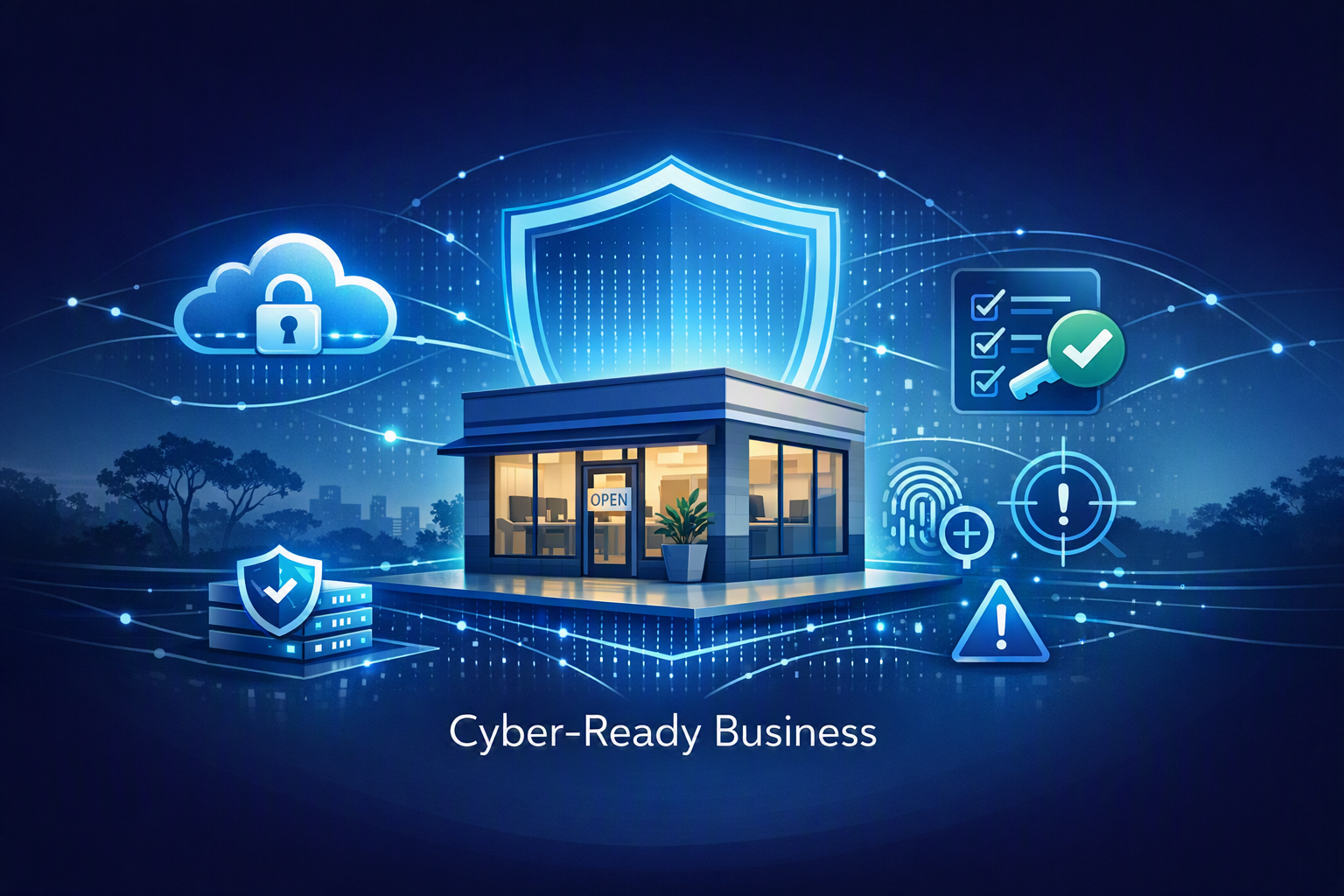
A cyber-ready business is not one that assumes it will never be attacked. It is one that understands its risks, protects its critical systems, trains its people, monitors for unusual activity and has a clear recovery plan. That practical, layered approach is what turns cyber security from a technical headache into a business advantage. What Does Cyber Readiness Mean? Cyber readiness means being prepared before, during and after a cyber incident. It combines prevention, detection, response and recovery so your organisation can keep operating with confidence. For many businesses, this includes everyday controls such as multi-factor authentication, software updates, secure backups, access management, staff awareness training and regular security reviews. 1. Understand Your Cyber Risks Strong cyber security starts with knowing what you need to protect. Identify your most important systems, data, applications and user accounts. This may include client records, financial information, email accounts, cloud platforms, business-critical software and intellectual property. Once you understand what matters most, you can prioritise security controls where they will have the greatest impact. 2. Build Strong Preventative Defences Prevention is the foundation of cyber resilience. Keep operating systems and applications updated, use reputable endpoint protection, enforce multi-factor authentication and limit access to sensitive systems. The Australian Cyber Security Centre recommends the Essential Eight as a baseline set of mitigation strategies to make it harder for attackers to compromise systems. For SMEs, even starting with the basics—MFA, patching and backups—can significantly improve protection. 3. Create a Security-Aware Culture Your people are one of your strongest lines of defence. Staff who can recognise phishing emails, suspicious links, fake invoices and unusual login prompts are far more likely to stop threats early. Regular cyber security awareness training, simple reporting processes and clear guidance help make security part of daily business operations rather than an occasional reminder. 4. Monitor for Suspicious Activity No defence is perfect, which is why monitoring is essential. A cyber-ready business uses tools and processes to detect unusual activity, such as unexpected login attempts, changes to administrator accounts, malware alerts or abnormal network behaviour. The earlier you detect a potential issue, the faster you can contain it and reduce the impact. 5. Plan Your Incident Response and Recovery When an incident happens, confusion costs time. Every business should have a clear cyber incident response plan that explains who to contact, what steps to take and how to keep key operations running. Reliable, tested backups are also critical. Backups should be frequent, protected from ransomware and regularly checked so you know they will work when needed. 6. Review and Improve Continuously Cyber threats change quickly, so cyber readiness is never a one-time project. Review your security policies, user access, backup processes, software patching and staff training on a regular basis. After any incident or near miss, capture the lessons learned and use them to strengthen your defences. Continuous improvement helps your business stay aligned with changing risks, compliance expectations and customer demands. Why Cyber Readiness Matters for Business Growth Cyber readiness is not just about avoiding attacks. It also supports business continuity, customer confidence, regulatory compliance and stronger supplier relationships. Businesses that can demonstrate good security practices are often better positioned when responding to client due diligence requests, renewing cyber insurance, tendering for work or managing sensitive information. Need Help Improving Your Cyber Readiness? If you are unsure where to start, Armour Networks can help assess your current cyber security posture and build a practical roadmap for improvement. From managed IT support and cloud security to vCIO, vCISO and Essential Eight alignment, we help Australian businesses strengthen their defences without overcomplicating the process. Contact us today to book a no-obligation cyber readiness consultation and take the next step towards a safer, more resilient business.
How Smart Tech Budgets Drive Business Growth
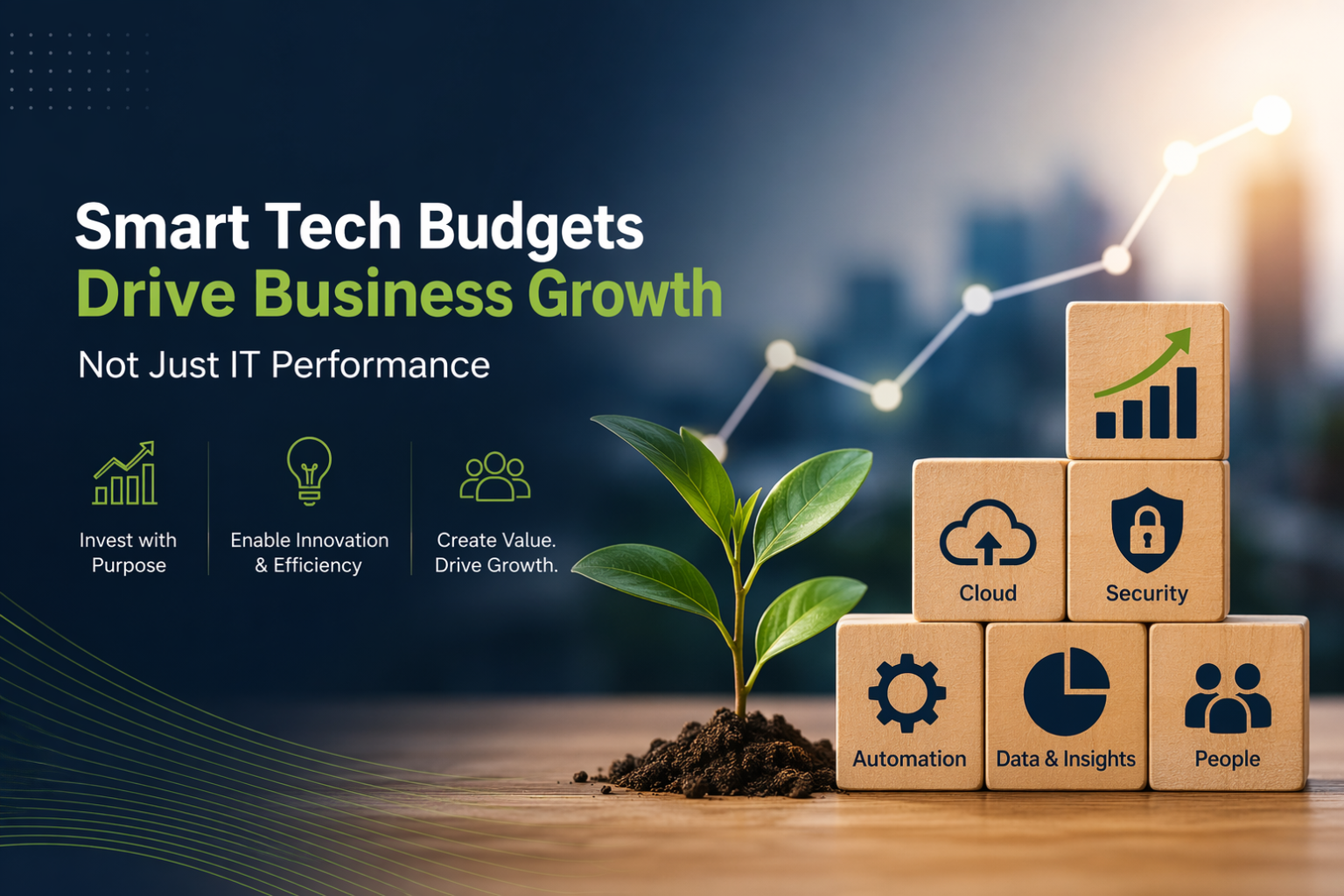
How Smart Tech Budgets Drive Business Growth (Not Just IT Performance) When was the last time your business reviewed its IT budget? For many organisations, it follows a familiar pattern: IT requests funding to maintain, fix or upgrade systems… while leadership sees it as a necessary expense. Something to keep things running—rather than something that actively drives growth. But that mindset is changing. Today, forward-thinking businesses are using their technology budget as a strategic lever—fueling innovation, improving efficiency and gaining a real competitive edge. Let’s explore what’s changed—and how you can take advantage of it. The Old Mindset: IT as a Cost Centre Traditionally, IT spending has been focused on maintaining operations. Keep the lights on. Prevent downtime. Avoid risk. While this approach feels safe, it often creates long-term limitations: Research shows that many organisations still spend the majority of their IT budgets on maintaining existing systems rather than investing in innovation. The result? Businesses fall behind more agile, tech-enabled competitors. The Shift: IT as a Growth Enabler Modern businesses are reframing the conversation. Instead of asking: “Where can we reduce IT costs?” They’re asking: “How can technology help us grow faster, work smarter, and serve customers better?” This shift is critical. Technology is no longer just supporting the business—it is the business. Strategic IT investment now plays a central role in innovation, efficiency, and competitive advantage. When organisations adopt this mindset, they unlock: And importantly, this isn’t just for large enterprises. SMBs that embrace digital transformation can improve productivity, enhance customer experience and scale more efficiently. What Smart Tech Budgeting Actually Looks Like A growth-focused IT budget isn’t about spending more—it’s about spending smarter. Here’s what that looks like in practice: 1. Prioritise High-Impact Initiatives Focus on investments that directly support business outcomes: Organisations that align technology investments with business goals consistently achieve greater efficiency and agility. 2. Reduce Operational Friction Many businesses are slowed down by: Modernisation—through automation, integration, and cloud platforms—removes these bottlenecks, allowing teams to focus on value instead of maintenance. 3. Enable Faster, Smarter Decisions Data is one of your most powerful assets—if it’s usable. By investing in integrated systems and analytics: Data-driven organisations are better positioned to adapt quickly and stay competitive in changing markets. The Business Impact: Real, Measurable Results When your IT budget is tied to strategy—not just support—the benefits ripple across your entire organisation: ✅ Improved Productivity Automation and modern tools reduce manual work, helping teams move faster and with fewer errors ✅ Faster Time to Market Scalable systems allow you to launch new services or products quickly ✅ Better Customer Experience Technology enables personalisation, faster response times, and stronger engagement ✅ Stronger Competitive Position Businesses that invest strategically in technology adapt faster and outperform those that don’t The Bottom Line Smart tech budgets aren’t about spending more on IT. They’re about aligning technology with your business goals—so every dollar drives measurable impact. Because in today’s market, the question isn’t: Can you afford to invest in technology? It’s: Can you afford not to? How Armour Networks Can Help If your IT budget still looks like a list of maintenance costs, it might be time for a reset. At Armour Networks, we help Sydney businesses turn IT from a cost centre into a growth engine: 🚀 Ready to turn your IT into a growth driver? Book your free tech assessment today and discover where smarter investment can take your business.
Digital Drag: The Silent Productivity Killer Holding Your Business Back

Ever feel like your team should be moving faster—but something keeps getting in the way? That friction has a name: digital drag. It’s what happens when your systems, tools, and processes no longer support the pace your business needs. Instead of accelerating growth, they quietly slow everything down—bit by bit, task by task. The tricky part? It rarely announces itself. It builds up over time until simple workflows become frustrating, decisions take longer, and your team spends more energy fighting technology than using it. Let’s break down what’s really going on—and how to fix it. Where Digital Drag Comes From Digital drag doesn’t usually come from a single issue. It’s the result of small inefficiencies adding up across your tech environment. Here are some of the most common culprits: Individually, these might seem manageable. Combined, they create a constant drag on productivity. The Hidden Costs You’re Probably Ignoring Digital drag isn’t just an inconvenience—it’s expensive. And the real cost often sits beneath the surface. In fact, inefficient technology can reduce productivity by as much as 40%, highlighting just how quickly these issues compound. A Smarter Way to Tackle the Problem You don’t need to rip everything out and start from scratch. The key is to be targeted and strategic—focusing on changes that deliver the biggest impact first. Here’s where to start: Even small improvements here can create significant gains. Businesses adopting automation often see measurable productivity boosts and stronger returns on investment. What Happens When You Remove the Drag? When your systems start working with you instead of against you, the difference is immediate. Put simply: fewer bottlenecks, more momentum. How Armour Networks Can Help You don’t need to solve this on your own. At Armour Networks, we help businesses identify exactly where digital drag is hiding—and eliminate it with practical, cost-effective solutions. Here’s how we support you: No overcomplication. No unnecessary spend. Just smarter, more efficient IT that actually supports your business. Ready to Work Faster and Smarter? If your technology feels like it’s holding you back, it probably is. Let’s fix that. Book a meet & greet with us through our website and start turning your IT into a growth driver—not a bottleneck.
7 Cybersecurity Threats That Could Wipe Out Your Business

The dinosaurs didn’t get a warning. One normal day… then everything changed. Today, many businesses operate in a similar mindset—focused on growth, clients, and day-to-day operations—without realising just how close they could be to a catastrophic cyber event. Cyber threats are no longer occasional disruptions. They’re constant, evolving, and increasingly capable of shutting businesses down entirely. Some incidents don’t just slow you down—they can erase years of hard work overnight. In this article, we break down the seven cybersecurity threats that pose a genuine “extinction-level” risk to modern businesses—and what makes them so dangerous. The New Reality: Not All Threats Are Equal Every organisation faces cyber risk. But some threats go far beyond inconvenience. These are the ones that: Let’s look at the biggest ones you can’t afford to ignore. 1. AI-Driven Ransomware: Faster, Smarter, Relentless Ransomware isn’t new—but it’s evolved. Today’s attackers use artificial intelligence to: Gone are the days of generic spam emails. These attacks are targeted, precise, and often devastating. Why it matters:By the time your team detects the attack, it’s usually too late. Operations stop, data is locked, and your business is forced into crisis mode—often within hours. 2. Advanced Persistent Threats (APTs): The Silent Intruders Unlike smash-and-grab attacks, APTs are patient. Attackers infiltrate your systems quietly and stay hidden for weeks—or even months—while gathering sensitive data. They often come from well-funded groups, meaning they: Why it matters:You may not even know you’ve been compromised until critical data is already gone. 3. Supply Chain Attacks: Your Weakest Link Isn’t Internal You might have strong internal security—but what about your vendors? Cybercriminals increasingly target: One vulnerable supplier can open the door to your entire network. Why it matters:Your security posture is only as strong as your least secure partner. Trust without verification is now a major risk. 4. Data Breaches: More Than Just Data Loss A breach doesn’t just expose information—it damages reputation. Often, breaches start with simple mistakes: From there, attackers gain access to sensitive information like: Why it matters:The real cost isn’t just the breach—it’s the fallout: lost clients, regulatory fines, and long-term brand damage. 5. IoT Vulnerabilities: The Hidden Entry Points Modern offices are full of connected devices: Many of these devices: Attackers love them. Why it matters:These seemingly harmless devices can become backdoors into your entire network—without raising immediate alarms. 6. Deepfakes & Social Engineering: When You Can’t Trust Your Eyes Cybercrime is becoming psychological. Attackers are now using AI to: Imagine receiving a call from your CEO urgently requesting a transfer—only it’s not really them. Why it matters:Traditional security awareness isn’t enough anymore. Businesses need stronger verification processes beyond “it sounds legitimate.” 7. Cloud Misconfigurations: One Small Mistake, Big Consequences Cloud platforms offer flexibility—but they also introduce risk. Simple missteps like: …can make sensitive data publicly accessible. Why it matters:These aren’t advanced hacks—they’re preventable errors that attackers actively scan for. Survival Isn’t Luck—It’s Strategy Extinction-level threats aren’t science fiction—they’re happening every day. The difference between businesses that recover and those that don’t usually comes down to preparation, visibility, and response capability. The good news? You don’t have to face this alone. At Armour Networks, we help businesses: Ready to Strengthen Your Defences? Cybersecurity isn’t just an IT issue—it’s a business survival strategy. If you want to understand where your risks are—and how to close the gaps—let’s talk. 👉 Book your no-obligation consultation today and take control of your cyber risk.
The Blueprint of a Cyber-Resilient Business
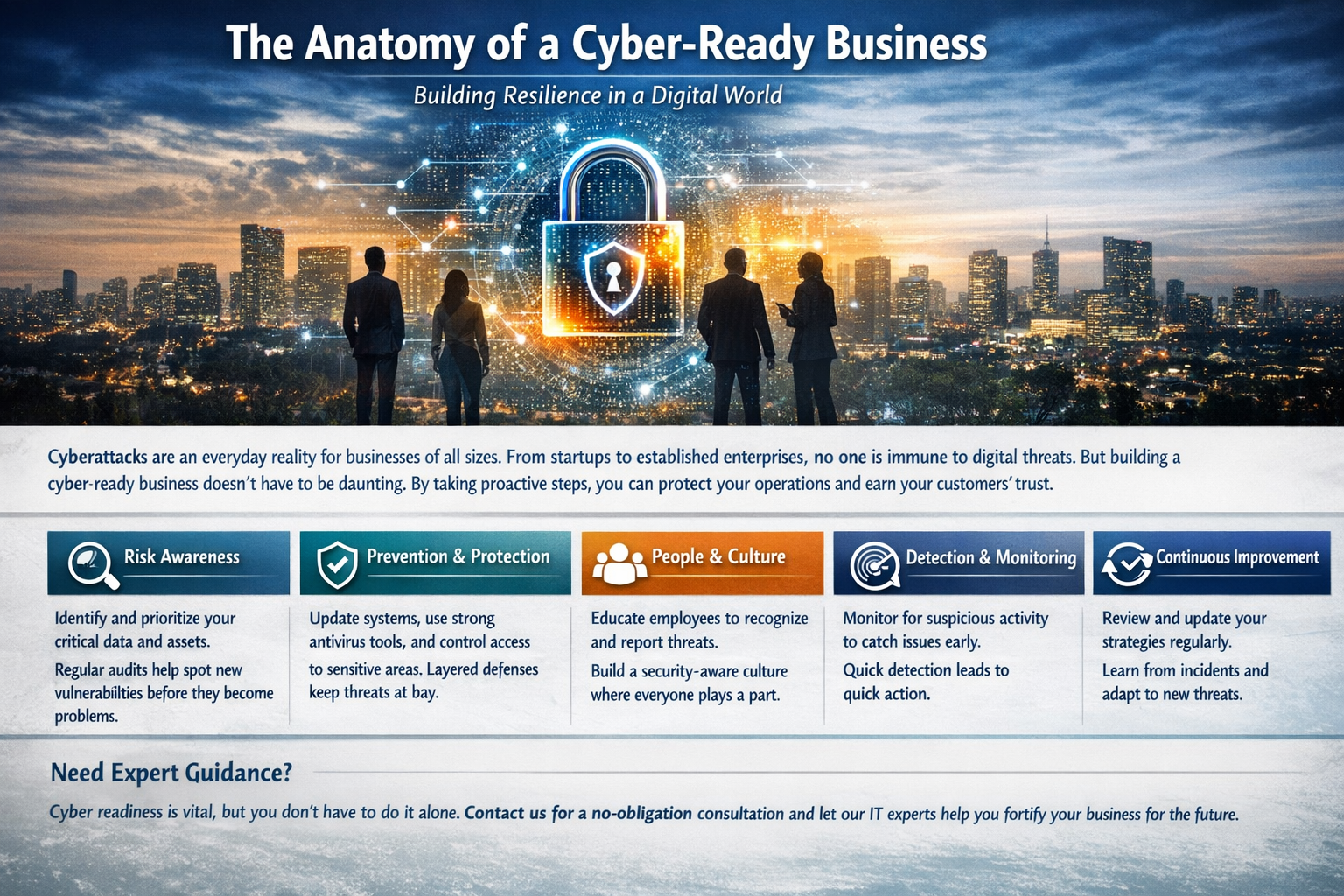
Cyber threats aren’t just headlines anymore—they’re part of everyday business risk. Whether you’re a growing firm or an established organisation, the digital landscape brings constant challenges that can disrupt operations and damage trust overnight. The good news? Becoming cyber-ready doesn’t mean massive budgets or complex systems. It’s about building smart habits, putting the right controls in place, and creating a culture that strengthens your business from the inside out. Think of cybersecurity like building a resilient structure—every layer plays a role, and together they create something strong, adaptable, and ready for whatever comes next. Where Cyber Resilience Begins A cyber-ready business isn’t built on a single solution—it’s built on a combination of practical, well-aligned foundations. Here’s what that looks like in action: 🔍 Understand What Matters Most You can’t protect what you don’t fully understand. Start by identifying your most critical data, systems, and processes. These are the assets that keep your business running. Once you know what’s essential, you can prioritise your efforts and reduce unnecessary exposure. Regular reviews are key—threats evolve, and so should your awareness. 🛡️ Strengthen Your Defences Security isn’t just about installing antivirus and hoping for the best. True protection comes from layering your defences: When these elements work together, they create a far more difficult environment for cybercriminals to penetrate. 👥 Make Security Everyone’s Responsibility Your biggest strength—or your biggest vulnerability—can be your people. A team that knows how to spot a phishing email or report something suspicious can stop an attack before it escalates. That’s why cybersecurity needs to be part of your company culture, not just an IT concern. Short, regular training sessions and open communication go a long way in keeping your team alert and confident. 👁️ Stay Alert With Ongoing Monitoring No system is completely immune, which is why visibility matters. By monitoring systems and network activity, you can quickly identify anything unusual. Establishing a baseline of “normal” behaviour makes it easier to flag anomalies early—before they become major issues. Early detection is often the difference between a minor incident and a costly disruption. ⚡ Be Ready to Respond and Recover Preparation turns chaos into control. If an incident occurs, your team should know exactly what to do. A clear response plan, updated contact lists, and regular simulations ensure everyone understands their role when it matters most. Equally important? Reliable backups. They provide a safety net, ensuring your critical data can be restored quickly and downtime is kept to a minimum. 🔄 Keep Improving Cybersecurity isn’t a one-off project—it’s an ongoing process. New threats emerge, technologies change, and your business evolves. Regularly reviewing your approach, updating policies, and learning from real-world incidents will keep your defences sharp and relevant. Continuous improvement is what separates reactive businesses from resilient ones. More Than Security—It’s About Trust When you invest in cybersecurity, you’re not just protecting systems—you’re protecting your reputation, your clients, and your future. Businesses that take cyber readiness seriously build stronger relationships, inspire confidence, and operate with fewer disruptions. Ready to Take the Next Step? Managing cybersecurity can feel overwhelming, especially when you’re juggling day-to-day operations. That’s where having the right partner makes all the difference. At Armour Networks, we help businesses like yours simplify security, strengthen resilience, and stay ahead of evolving threats—without unnecessary complexity. Let’s make your business cyber-ready.Reach out today for a no-obligation consultation and discover how we can help you stay protected, compliant, and confident.
Small Business IT Support Sydney: For Smooth Business Operations

Sydney is built on small businesses that are constantly adapting, competing and innovating. But behind every successful modern small business lies an ever-running force- technology. Bookings are made online, payments are processed digitally and cloud systems store critical documents. Everything runs smoothly but when technology fails, business stops. With small business IT support enjoy smooth, secure, and stress-free business operations. What Challenges Small Businesses Face? Small business owners don’t have enough funds to hire many employees. They work as the strategist, the salesperson, the HR manager, the customer service desk, and often the bookkeeper. Technology should make life easier — but when it creates problems for the business, it becomes a burden. Some issues might not give prior warnings. Choose a dependable IT support as your business partner to eliminate all kind of technology issues. How Dedicated Small Business IT Support Sydney Helps Business owners? Large enterprises employ internal IT departments. Small businesses don’t have enough capital to hire and set up different departments. But their need for reliable technology is just as critical. Professional IT Company Sydney gives small businesses: • Faster problem resolution • Predictable technology costs • Secure data protection • Stable systems • Expert guidance on tech decisions • More time to focus on customers and growth Small business IT support Sydney helps in long-term success of all kind of businesses. How Does Proactive IT Care Prevent Costly Downtime? Modern IT support in Sydney prevents issues before they disrupt business operations. Today’s managed IT services and cybersecurity companies in Sydney continuously monitor systems, apply updates, detect early warning signs, and prevent failures before they disrupt operations. The standard technology challenges small businesses face Common challenges that most small businesses face includes: Individually, each issue seems minor. But together, they create a serious business risk. Small business IT support services identify and resolve these weaknesses systematically — not randomly. Why Technology Planning is Critical for Small Businesses Many small businesses buy technology without planning. But IT support partners help small businesses build technology roadmaps — planning upgrades, budgeting for replacements, choosing scalable systems, and avoiding expensive surprises. This turns IT spending from random costs into a strategic investment for the business. Smarter Cloud Services for Small Businesses Small Sydney businesses can now access enterprise-grade tools without owning expensive servers. But cloud services still need expert setup and management. Downtime, data loss, or security exposure are often caused due to system errors. But network support Sydney ensures: With the proper setup, small teams gain powerful tools with minimal complexity. Supporting Hybrid and Remote Work for Small Teams Remote and hybrid work are now the norm across Sydney. Staff answers emails from home. Bookings are managed from mobile phones. Sales teams work on the road. Owners check reports after hours. Small business IT support near me ensures remote work stays smooth and efficient by configuring secure remote access, keeping files synchronised and preventing data leakage. This flexibility allows small businesses to operate beyond physical offices — without losing control. Quick Response IT Support Even with proactive management, issues occasionally arise. The difference is how fast they get resolved. A reliable IT support provider offers quick response time and remote troubleshooting. For small businesses, speed matters. When technology is restored quickly, customers never even notice there was a problem. IT Support for Customer Experience Technology isn’t just internal — it directly affects customer experience. Slow booking systems frustrate clients. Email problems delay responses. Payment errors lose sales. Website downtime turns customers away. Small business IT setup indirectly protects customer satisfaction by keeping front-facing systems stable and reliable. Happy customers mean repeat business — and that’s the lifeblood of small enterprises. Cost Predictability: Making IT Affordable for Small Businesses One fear small business owners have is the unpredictability of IT costs. Emergency call-outs, surprise hardware failures and unplanned software subscriptions. Managed IT support replaces uncertainty with predictable monthly plans. You know what you’re paying and what’s covered to avoid expensive disasters. This stability allows better budgeting and removes financial anxiety around technology. Reliable Business Email and Communication Email remains the backbone of small business communication. When email fails, business stops. IT support manages: This ensures communication flows without interruption — internally and with customers. Smarter Software Decisions for Businesses There are endless software options for accounting, project management, CRM, scheduling, inventory, marketing, and collaboration. Choosing the wrong tools wastes time and money. IT support partners help small businesses select software that fits their size, budget, and workflow — not oversized enterprise systems or underpowered free tools. Right-sized technology is a powerful advantage for small businesses. Future Ready Technology for Business Growth Small businesses growth involves hiring more staffs to handle more customers across multiple locations. But technology also needs to grow as businesses add more staff. IT support plans scalable systems from the start. When growth occurs, your technology expands smoothly rather than breaking under pressure. Good IT support doesn’t just fix today’s problems — it prepares for tomorrow’s success. Why Sydney Businesses Need Local IT Support Sydney’s business environment is fast-moving. Having a local IT support team means understanding of regional infrastructure. The support aligns with Australian standards and it is built on trust. When your business understands local business culture, you can grow without limitations. Building Confidence through Technology When technology works reliably, business owners feel confident. Staffs feel productive, customers feel valued and growth feels achievable. The best small business IT support Sydney is not just about computers. It’s about peace of mind — knowing your business is supported, protected, and prepared. How Smart IT Creates Competitive Edge Many small businesses view IT as only a unnecessary expense. But when used strategically, technology becomes a competitive weapon. Automation saves time- IT support partners and computer consultant Sydney help businesses unlock these advantages safely, securely and efficiently. Why Delays Create Bigger IT Risks Many small businesses delay IT support until something breaks badly. Unfortunately, by then damage may already be done — lost data, lost customers, lost reputation. Investing early